

.svg)



Blog
Still Burning CDs? That's Some Major Flip-Phone Energy
Every CD you burn, mail, or track down wastes money, robs staff time, and delays care


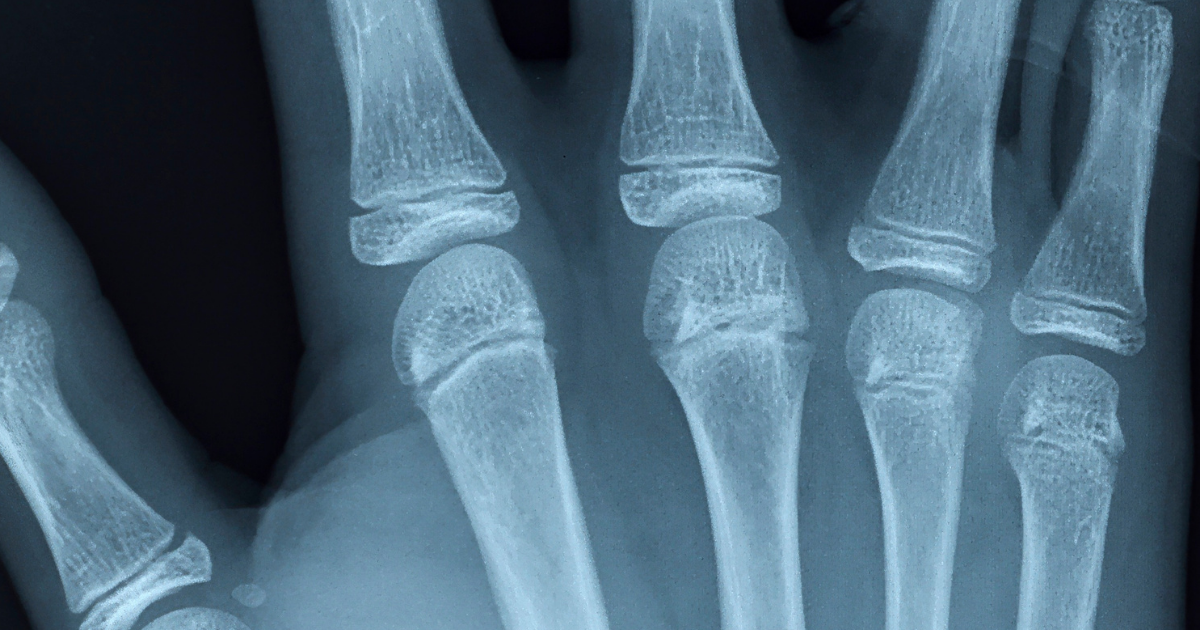
Diagnostic imaging drives patient care. But if your image sharing still runs on CDs, faxes, and VPNs, your workflow is stuck in the flip-phone era: functional, but completely out of step.
Whether a patient needs surgery, follow-up from an ER visit, or physical rehab, specialists rely on diagnostic scans to make fast, accurate decisions. Yet getting imaging to the right provider at the right time remains a major headache. Manual workflows slow everything down as staff spends hours tracking down files, wrangling CDs, and calling and faxing outside facilities. As a result, organizations face last-minute cancellations and rescheduled appointments, while patients face unnecessary delays in accessing care and duplicate scans.
A 2026 review of the largest hospitals in the U.S. found that 72% still routinely rely on CDs to transfer imaging, and none have eliminated them completely. Providers need a better path forward: automated, cloud-based image exchange.
Which Stage Are You In?
Most imaging organizations fall into one of four stages:
- Routine CD Use: CDs are still the default for most external transfers, in and out.
- In Transition: Some digital exchange exists, but CDs remain the fallback.
- Actively Phasing Out: Digital exchange is the default, CDs are the exception, and there's an active plan to close the gap.
- Fully Eliminated: No routine physical media use at all.
Despite years of talk about interoperability, most workflows sit somewhere in the routine use and transition zones.
The Hidden Costs of Manual Image Sharing
When a practice relies on physical media or fragmented tools to move images, it impacts the whole organization:
- Heavy Administrative Burdens: Chart preparation becomes an intensive chore, and employees are pulled away from patient care to chase down files.
- Clinical Blind Spots: Written medical histories tell only part of the story. Providers can't build accurate treatment plans from text descriptions alone; they need access to the actual diagnostic scans.
- Security Vulnerabilities: Accepting external physical media exposes internal networks to malware risks and creates HIPAA compliance concerns.
- Operational Waste: Even for a medium-sized practice, buying CDs, burning files, and paying shipping fees add up to thousands of dollars every year.
Why Practices Get Stuck
The reasons practices get stuck aren't laziness or lack of awareness. They're structural, and repeat across organizations of every size:
- Patients and Providers Know What a CD Is: They don't have to trust a new system, log into a portal, or wonder if a link is legitimate. A disc feels safe because it's tangible, even when it isn't the safer option.
- The Digital Option May Have More Barriers: If digital exchange requires software installs, account creation, or a DICOM viewer the recipient doesn't have, staff will default to the disc every time.
- Remote Access to PACS Raises Real IT and Compliance Concerns: Organizations may avoid opening access, even though accepting outside physical media carries its own malware and compliance exposure.
- The Cost is Easy to Underestimate: CDs feel cheap, but hospitals spend as much as $15 per disc. Some health systems report upwards of $100,000 a year in courier costs alone, before factoring in the staff time spent burning, tracking, and following up on them.
None of these are reasons to stay stuck. They're just the reasons most organizations do.
Regulators have taken note of the continued reliance on CDs. In January 2026, the Office of the National Coordinator for Health IT issued an RFI on diagnostic imaging interoperability standards and certification, essentially asking “why is physical media still allowed when the technology to avoid it already exists?”
Practices moving off CDs today are solving a cost problem, a workflow problem and getting ahead of a compliance problem. The organizations still relying on physical media a year or two from now may find that what used to be an operational inefficiency has become a regulatory liability.
What Automated Image Exchange Looks Like
Medicom uses upcoming schedules to find and pull relevant prior imaging automatically, turning record retrieval from a last-minute scramble into a seamless background process. A complete image exchange strategy relies on three main workflows:
- Smart Search: This LLM-powered system automatically finds relevant prior studies by dynamically adapting to varied abbreviations and coding conventions, eliminating the need for rigid manual mapping.
- Patient Link/ Patient Share: In this outbound module, patients receive a secure link to view, download, or forward images natively in a web browser, requiring no specialized software.
- UpLink/Upload (for Patients): This inbound counterpart allows patients and off-network providers to submit prior imaging through a browser, with no software or accounts required.
Real-World Proof: How One Practice Slashed its CD Spend, Reclaimed Staff Time, and Realized a 503% ROI
At OrthoIllinois, a multispecialty orthopedic practice, physical CDs and VPNs were slowing down chart prep and pulling staff away from patient care. After switching to automated image exchange with Medicom, the practice eliminated more than 145 CDs a month, reclaimed more than 275 staff hours, and landed a 503% annual ROI. Read the full OrthoIllinois case study to see how they save more than $61,000 each year.
Where to Start
None of this means fixing everything at once. The first step is to understand which referral sources or patient touchpoints default to CD most often; that's typically where the staff time and cost are concentrated and where automated retrieval pays off fastest. This can be especially true for smaller practices, since making progress doesn't require a full PACS replacement or a dedicated interoperability team.
By automating image retrieval, your organization can protect network security, lower administrative overhead, and give clinicians the information they need before appointments begin. Ready to ditch CDs, faxes, and manual chart prep? Connect with the Medicom team today to see how we can streamline your workflows.
Related articles

Blog
Stop Defending Your Imaging Budget With Guesswork: Get Answers Without Pulling Logs
No tickets, no spreadsheets, no logs to pull. Analytics & Insights delivers self-service dashboards for volume, partner traffic, and IT performance.
Blog
No Order? No Problem: Getting Outside Imaging Into the Chart Faster
Auto Order Generation helps eliminate manual order entry and prevent duplicate scans by automatically delivering outside imaging straight into the EHR.

Blog
The Hour Nobody Measures: Why Faster Prior Imaging Pays Off Far Beyond the ED
Research ties quicker access to outside patient information to shorter stays, fewer scans, fewer admissions and lower charges. Prior imaging is where the gap is widest.
Your Plan for Enterprise Imaging Interoperability
Talk to one of our experts to plan your interoperability strategy, explore workflows, or get a personalized demo. We’re here to help.
