

.svg)



Blog
From Access to Agency: Why Moving Beyond Basic Viewing Empowers Patients to Direct Their Own Care
Patients routinely check the portal to get lab results, read provider notes, and message care teams. But when it comes to imaging, is simply looking at a scan enough?


The healthcare industry has made major progress in granting patients access to their health records. Digital portals have become the standard gateway for modern care, and individuals now routinely check lab results, read provider notes, and message care teams. The push to include medical imaging has gained momentum, giving patients a much clearer window into their own health journeys.
But as patient portals evolve, we have to ask a critical question: Is simply looking at an image enough?
While EHRs have laid a strong foundation for health information exchange, viewing a static, compressed image or reading a text-based report is just the baseline. Patient-centered care demands the ability to actively manage, bring in, and send out imaging data based on what a patient's unique care journey requires. When digital tools only allow patients to view records within a closed system, their care story is incomplete.
To support patients who want to do more than just view images, Medicom built patient-facing solutions to extend portal capabilities in two ways:
Bringing In Data: Upload (for Patients)
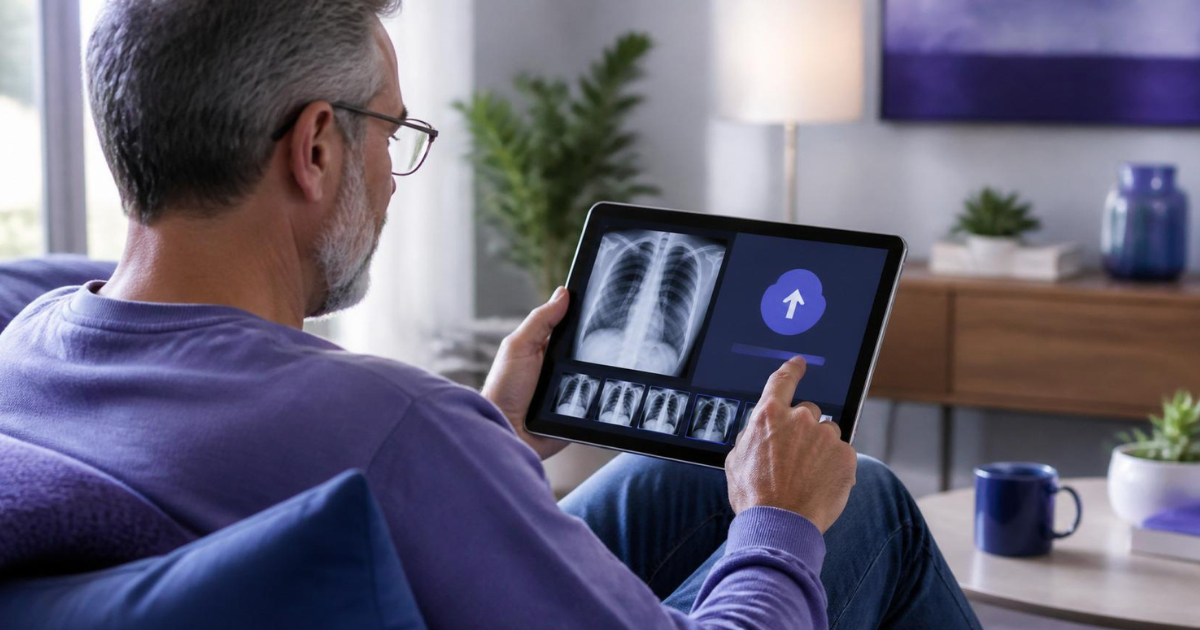
Before a patient walks through your door, they may have years of imaging from other facilities, out-of-network centers, and emergency room visits. Upload lets patients send that history to you ahead of time, from a phone, tablet, or computer.
Upload runs inside the patient portal through SMART on FHIR, so there’s only one sign-in. Patients select the folder, CD, or USB drive that holds their imaging, and the app finds the studies, skips what isn't imaging, and sends the rest securely to your organization. In certain EHRs, a parent, guardian, or other authorized proxy can upload on a family member's behalf.
Every upload passes through safeguards before it reaches your archive:
Malware Scanning. Uploads are scanned in the cloud, and anything suspicious is quarantined before it can touch your network.
Demographic Checks. If the date of birth doesn't match, the study is routed to Medicom Checkpoint for administrative review instead of automatic acceptance.
Duplicate Detection. Studies you already have are flagged before upload, keeping your archive clean and preventing staff from wasting time on duplicates.
Sending Out Data: Share (for Patients)
When a patient needs to send imaging to an out-of-network provider, a law firm, or an insurance company, the traditional portal experience can hit a wall. Patients are often forced to wait days for medical records, or they must track down a physical CD.
Share gives patients and outside organizations secure, immediate access to imaging without the CD. Because Share is built on SMART on FHIR standards and integrated directly within the portal, patients never have to leave the environment they already know. Instead, they gain a complete toolkit for sharing records.
Through Share, patients open a mobile-friendly view of their available studies, filter by date or exam type, and select exactly what they want to send. They can look up a specific provider or facility on the Medicom network, or generate a secure link and send it by email. The radiologist's report can travel with the images, so external providers receive the diagnostic context upfront, which cuts down on follow-up calls and helps avoid redundant, costly reimaging.
To support strict security, Share provides safeguards behind the scenes:
Recipient Verification: External recipients use a PIN to unlock shared studies, with no account registration is required. Because access is PIN protected, the patient never has to hand a date of birth to the recipient.
Patient-Set Access Rules: Patients choose an expiration window for each link and note the reason for sharing, such as a second opinion or a legal request, so access stays time-bound and purpose-specific.
Revocable Links: If a patient shares a study by mistake, they can cancel the link.
Flexible Downloads: Verified recipients can view studies in the browser or download as a secure ZIP, in DICOM format for provider upload, or JPEG for personal use. Recipients within the Medicom network can import shared images into their own systems in a single click.
Compliance Tracking: All sharing activity is logged, which helps support compliance with HIPAA and Information Blocking Rule requirements.
Support for Fax-First Offices. Share allows a patient's imaging to reach a fax-only office without falling back to CDs or mail.
For organizations without a FHIR-enabled EHR, Medicom Patient Link delivers immediate study access to patients while offering external providers, attorneys, and insurers a frictionless, outbound image-sharing pathway to the data they need.
Ultimately, the patient remains at the very center of the exchange, deciding exactly who gets access to their diagnostic data and for how long.
Access is Just the Starting Line
Giving patients a digital window to view medical images is an excellent foundation, but true empowerment means giving them direct control over their health data. When organizations look beyond basic viewing, they transform passive access into patient agency.
Ready to move beyond basic image viewing and upgrade the patient experience? Contact us to discover how Upload and Share can enable your existing portal to handle both inbound and outbound sharing.
Related articles

Blog
Stop Defending Your Imaging Budget With Guesswork: Get Answers Without Pulling Logs
No tickets, no spreadsheets, no logs to pull. Analytics & Insights delivers self-service dashboards for volume, partner traffic, and IT performance.
Blog
No Order? No Problem: Getting Outside Imaging Into the Chart Faster
Auto Order Generation helps eliminate manual order entry and prevent duplicate scans by automatically delivering outside imaging straight into the EHR.

Blog
The Hour Nobody Measures: Why Faster Prior Imaging Pays Off Far Beyond the ED
Research ties quicker access to outside patient information to shorter stays, fewer scans, fewer admissions and lower charges. Prior imaging is where the gap is widest.
Your Plan for Enterprise Imaging Interoperability
Talk to one of our experts to plan your interoperability strategy, explore workflows, or get a personalized demo. We’re here to help.
